Wired Condenser Conference Mic: Clear Speech, No Dropouts
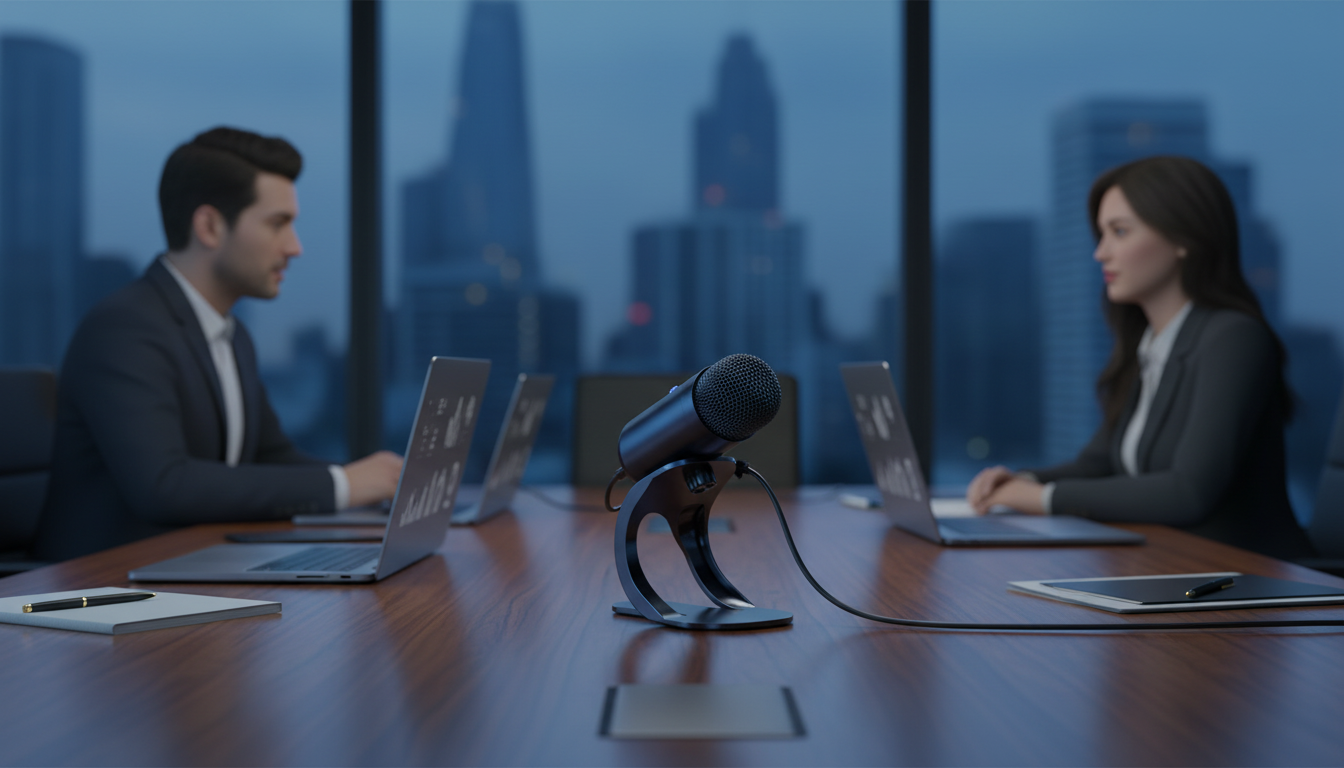
Professional Wired Condenser Conference Microphone for Clear Meetings and Presentations
A dependable conference microphone can make the difference between a smooth, productive call and constant repetition. A wired condenser mic is a practical choice for meeting rooms, classrooms, council desks, and home-office setups because it prioritizes stable connectivity and clear voice pickup without relying on batteries or wireless pairing. For more guidance, see Microphones – SAIC Media Resources.
When a wired condenser conference microphone fits best
Not every room needs a complex multi-mic system. Many teams get better results simply by upgrading from built-in laptop audio to a purpose-built conference microphone—especially when reliability matters more than portability. For further reading, see Conference Microphones.
- Meeting rooms that need consistent audio without Bluetooth dropouts or charging cycles
- Shared spaces like classrooms, training rooms, and front desks where plug-and-use simplicity matters
- Hybrid calls where voice clarity is more important than portability
- Situations where a stable cable run is easier than managing wireless interference
What to expect from a condenser microphone in a conference setting
Condenser microphones are generally known for sensitivity and speech detail, which can be helpful when multiple people speak at normal volume and nobody wants to “lean in” to be heard.
- Sensitive voice capture that helps pick up normal speaking levels without needing to lean in
- More detail and presence in speech compared with many basic built-in laptop or webcam mics
- Best results in controlled spaces: softer surfaces and lower background noise improve intelligibility
- Placement matters: aim for a clear path between speaker and mic to reduce muffling
For a helpful overview of how microphone types and placement affect results, Shure’s educational resources are a solid reference: Shure: Microphone Basics.
Key features to check before buying
A conference mic can sound great and still be a poor match if the connection, pickup behavior, or physical setup doesn’t fit the room. A quick pre-check helps avoid last-minute workarounds right before an important call.
- Connection type: confirm the plug matches the device (computer, mixer, speakerphone base, or recorder)
- Cable length and routing: ensure the mic can reach the intended position without strain
- Pickup pattern: choose the pattern that matches the seating layout (single speaker vs small group around a table)
- Controls and indicators: mute or on/off controls and status lights can prevent accidental hot-mic moments
- Build and stability: a base that stays put reduces bumps and handling noise during meetings
Quick checklist for matching a conference mic to the room
| Use case | What to prioritize | Why it matters |
|---|---|---|
| Solo desk calls | Closer placement, simple mute control | Reduces room echo and keeps voice consistent |
| Small meeting table | Wider pickup, stable base, longer cable | Captures multiple speakers without passing the mic |
| Training/classroom | Durability, clear speech focus, reliable connection | Handles frequent use and keeps instructions intelligible |
| Noisy office area | Placement away from keyboards, manage cable noise | Minimizes distracting clicks and bumps |
Setup tips for clearer speech (without extra equipment)
Small adjustments usually beat expensive add-ons. Before changing software settings or buying accessories, try optimizing placement and the surrounding environment.
- Place the microphone 6–18 inches from the primary speaker when possible; closer generally improves clarity
- Keep it away from keyboards, laptop fans, and desk edges to reduce mechanical noise and vibration
- Lower speaker volume and avoid placing the mic directly in front of loud speakers to reduce feedback
- Use soft materials in the room (curtains, rugs) if echo is a problem; even small changes help
- Do a 10-second test recording or call check before important meetings to confirm levels and mute behavior
For general meeting-audio best practices (especially for hybrid calls), Cisco’s guidance can be a useful baseline: Cisco Webex meeting tips.
Product spotlight: Professional Wired Condenser Conference Microphone
If the goal is simply to be heard clearly—without juggling pairing, charging, or unpredictable wireless performance—a wired conference mic is a straightforward upgrade. The Professional Wired Condenser Conference Microphone is a budget-friendly option built for meetings and voice communication where speech intelligibility is the priority.
At-a-glance details
| Item | Details |
|---|---|
| Product name | Professional Wired Condenser Conference Microphone |
| Price | $16.51 USD |
| Availability | In stock |
| Product page | View product |
Common use cases and simple best practices
For spaces that double as break areas or client waiting zones, small upgrades can also reduce distractions during calls. A large-capacity water station like the 52-Cup 5-Stage Water Filter Dispenser with Real-Time TDS Meter & Lead Reduction can help cut down on noisy trips in and out during longer meetings.
And for personal organization between meetings, the How to Use AI Tools to Regain Control of Your Finances digital guide is an option for building better routines around planning and follow-through—useful when meeting notes and action items start piling up.
FAQ
Will a wired condenser conference microphone work with a laptop or desktop computer?
It can, but compatibility depends on your computer’s audio input and the microphone’s connector. Check whether your device uses a dedicated mic-in port, a combo headset jack, or requires a USB audio interface, and use adapters only when needed.
How can echo and background noise be reduced during conference calls?
Place the mic closer to the speaker and keep it away from loud speakers to reduce feedback and echo. Soft furnishings can dampen reflections, and muting when not speaking helps prevent background noise from becoming a constant distraction.
Where should a conference microphone be placed on a table?
Start with a stable, central spot on the table with a clear line to the people who speak most often. Keep it away from tapping hands, keyboards, and table edges to minimize bumps and vibration noise.



Leave a comment