Cool Mesh Office Chair: Lumbar, Headrest & 2D Arms
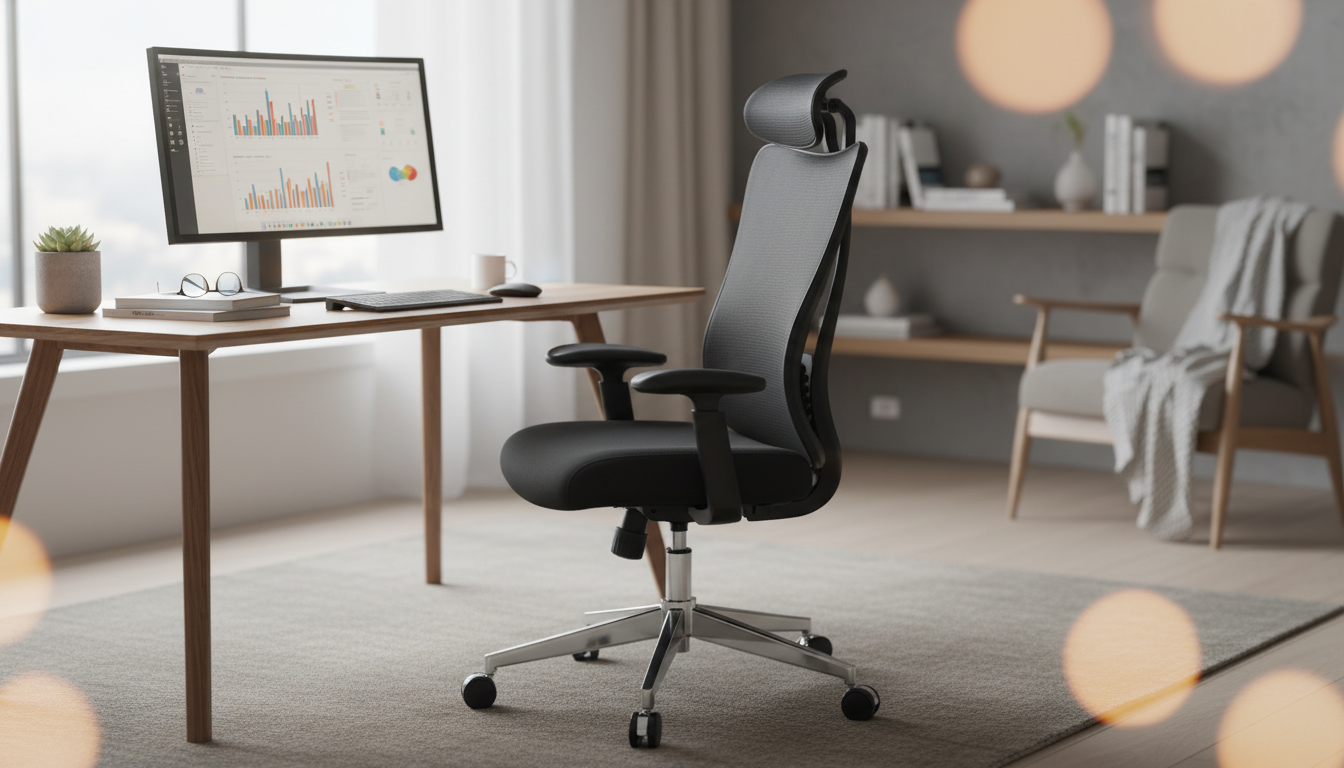
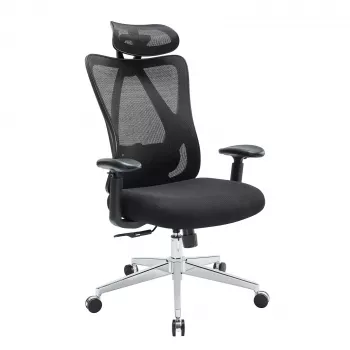
Ergonomic Mesh Office Chair with Lumbar Support, Adjustable Headrest & 2D Arms
Long desk sessions are easier to handle with a chair that supports the spine, keeps air moving, and adapts to different body sizes. This mesh office chair combines lumbar support, an adjustable headrest, and 2D armrests to help reduce common pressure points at the lower back, shoulders, and neck while maintaining a cooler seated feel.
If you’re upgrading a home office, setting up a study nook, or refining an everyday workstation, the Ergonomic Mesh Office Chair with Lumbar Support, Adjustable Headrest & 2D Arms is built around the basics that matter most: comfortable back contact, practical adjustments, and a breathable backrest that helps you stay focused.
Quick look: what makes this chair different
- Mesh back designed to promote airflow and reduce heat buildup during extended sitting
- Lumbar support aimed at helping maintain a more neutral lower-back position
- Adjustable headrest to better align with neck and head posture at different heights
- 2D armrests intended to support forearms and reduce shoulder tension when typing or mousing
- A practical option for home offices, study setups, and everyday workstation use
Ergonomics isn’t about locking into one “perfect” posture all day—it’s about support and adjustability so you can change positions without paying for it later. Guidance from sources like OSHA’s Computer Workstations eTool and the Mayo Clinic office ergonomics guide emphasizes neutral alignment, good support, and frequent movement breaks.
Lumbar support: keeping the lower back comfortable
The lumbar region (lower back) naturally curves inward. Over long sessions, that curve often collapses as people slide forward and slouch, which can concentrate pressure at the tailbone and fatigue the muscles that stabilize the spine.
- Lumbar support helps fill the natural curve of the lower spine, which can reduce slouching over time
- A supportive lumbar area can help distribute pressure more evenly across the back rather than concentrating it at the tailbone
- For best comfort, lumbar support should sit at the small of the back—not the mid-back—so the pelvis stays more neutral
- If the chair’s lumbar feels too strong, small posture changes (sliding hips slightly back, adjusting seat depth if available, or changing recline) can help fine-tune the feel
A good “check” is how your lower back feels after 30–60 minutes. Support should feel present but not aggressive. If you notice the lumbar pushing you forward too much, try a slight recline and make sure your hips are fully back in the seat so the support contacts you evenly.
Adjustable headrest: reducing neck and upper-back strain
Neck tension often comes from subtle habits: craning toward the screen, holding the head forward while typing, or shrugging the shoulders when arm support is too low. An adjustable headrest is most valuable when you lean back briefly to reset posture and let the neck relax.
- An adjustable headrest is most helpful during brief rest breaks or when reclining, providing a place for the head to rest without pushing the neck forward
- For upright typing, the headrest should not force the chin forward; positioning should allow ears to stay roughly over shoulders
- A well-placed headrest can encourage less shrugging and less upper-back tension when leaning back
- If sharing the chair with others, headrest adjustability makes it quicker to reset the fit
For focused work, consider positioning the headrest so it’s “out of the way” while upright—then supportive when you recline. This keeps your head balanced over your torso, rather than nudged forward.
2D armrests: supporting forearms for keyboard and mouse work
Arm support is a comfort multiplier. When forearms have a stable landing spot, shoulders don’t have to work as hard to hold your arms up, which can reduce end-of-day tightness across the traps and upper back.
| Adjustment | What it changes | Helpful for |
|---|---|---|
| Lumbar support | Back curve support at the lower spine | Reducing slouching and lower-back fatigue |
| Headrest height/angle | Where the head and neck rest during recline | Neck comfort on breaks and while leaning back |
| 2D armrests (typical) | Armrest height and side-to-side positioning | Shoulder relaxation and forearm support while typing |
| Recline/tension (if available) | How easily the backrest moves | Switching between focused work and relaxed posture |
Breathable mesh feel: staying cooler through the day
Comfort also improves when hydration and micro-breaks are part of the routine. Keeping water close can make it easier to step away and reset—some desks pair well with convenient home hydration options like the 52-Cup 5-Stage Water Filter Dispenser with Real-Time TDS Meter & Lead Reduction.
Dialing in the fit: a simple setup sequence
Even a well-set chair can’t replace movement. If you’re sitting for hours, brief posture changes and short standing breaks help reduce sustained loading on the same tissues—an approach echoed in ergonomics resources from organizations like NIOSH.
Everyday use, care, and durability pointers
Who this chair suits best
For shoppers who want an ergonomic core set—lumbar support, head/neck support during recline, and arm adjustments for desk work—the Ergonomic Mesh Office Chair with Lumbar Support, Adjustable Headrest & 2D Arms is a straightforward, practical fit for day-to-day productivity.
FAQ
How should the lumbar support feel when it’s set correctly?
It should feel like gentle, even contact at the small of the back—supportive but not pushing the torso forward. Minor recline or seat-height changes often improve the fit.
Can the headrest be used while typing upright?
It can, but it shouldn’t force the chin forward. For focused typing, many people position it slightly back so it mainly supports during short rests or recline.
What’s the best armrest height for desk work?
Set armrests so shoulders stay relaxed (no shrugging) and forearms are lightly supported, with elbows close to the body and wrists staying neutral.


Leave a comment